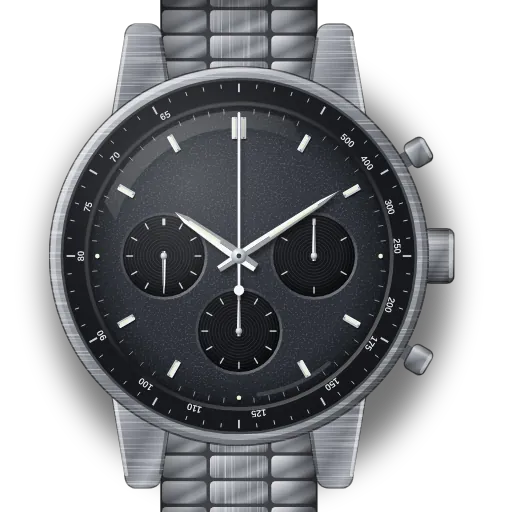
How to set up the Omega Speedmaster Moonwatch Professional (calibre 3861)
Short answer: With the crown pushed in (position 1), wind it forwards until you feel resistance. Once a day is enough. Then pull it to position 2: the seconds hand stops, so set the time and push the crown in on the beat. Reset the chronograph only when it is stopped.
Speedmaster Moonwatch Professional — steel, Hesalite at a glance
| Calibre | 3861, hand-wound, co-axial, about 50 hours of power reserve |
|---|---|
| Crown | Two positions: 1 = winding, 2 = time setting with stop-seconds |
| Pushers | Top (2 o'clock): start and stop. Bottom (4 o'clock): reset, only when stopped. |
| Certification | METAS Master Chronometer: 0 to +5 seconds a day, resists 15,000 gauss |
| Water resistance | 5 bar (50 m) |
| Tachymeter | Usable for timings of about 7 to 60 seconds |
| Versions on this guide | Hesalite 310.30.42.50.01.001, sapphire 310.30.42.50.01.002, Canopus Gold 310.60.42.50.02.001, Moonshine Gold 310.60.42.50.10.002, Sedna Gold 310.60.42.50.01.001, Apollo 11 50th 310.20.42.50.01.001 |
What do you need to set on the Speedmaster Moonwatch Professional — steel, Hesalite?
Reset chronograph hands on the Omega Speedmaster Moonwatch Professional — steel, Hesalite
- 1
Check: is the chrono stopped?
Top pusher starts and stops. Bottom resets, but only when stopped.
- 2
Still not at zero? Service
On this mechanical movement the hands are reset by internal cams. There's no user re-alignment, so an authorised service centre needs to fix it.
Pressing pushers in other crown positions won't help, and can cause damage.
Set the time on the Omega Speedmaster Moonwatch Professional — steel, Hesalite
- 1
Pull to position 2
The seconds hand stops.
- 2
Turn to set the time
Either way, until the hands match your clock.
- 3
Push in on the beat
Push back to 1 exactly as the reference time hits zero seconds.
Start a stopped watch on the Omega Speedmaster Moonwatch Professional — steel, Hesalite
- 1
Wind it
Crown in (1). Turn forwards until it stops. Never force it.
- 2
Pull to position 2
The seconds hand stays stopped.
- 3
Set the time and push in
Turn to the correct time, then push to 1 on the beat.
What owners run into
- Winding past the point of resistance. The manual says not to force it. Stop when it gets firm.
- Pressing the reset pusher while the chronograph is running. On a mechanical chronograph this strains the mechanism. Stop first, then reset.
- A chrono hand that stops slightly off zero cannot be fixed with the pushers, unlike on a MoonSwatch. It needs a service.
- Pulling the crown out to set the time and finding the seconds hand stops: that is normal on the 3861, and it is how you set it to the second.
How the Speedmaster Moonwatch Professional — steel, Hesalite differs from similar watches
The 3861 replaced the calibre 1861 in the Moonwatch Professional. Two practical differences: the seconds hand now stops when you pull the crown, and the reference numbers start with 310 instead of 311. Gold, sapphire and anniversary versions with the 3861 set up the same way, so this page covers them. The Silver Snoopy 50th also uses the 3861 and has its own page for its animated case back.
Models covered by this guide
Quick answers
How do I tell a 3861 Moonwatch from an 1861?
Pull the crown to position 2. If the seconds hand stops, it is a 3861. On a 1861 it keeps running. The reference also starts with 310 on 3861 models.
How often should I wind my Moonwatch?
Once a day, at roughly the same time. A full wind lasts about 50 hours.
Can I reset the chronograph while it is running?
No. Stop it with the top pusher first, then reset with the bottom one.
Does the Moonwatch have a date?
No. The Moonwatch Professional shows time and chronograph only, so there is no date or late-night window to worry about.