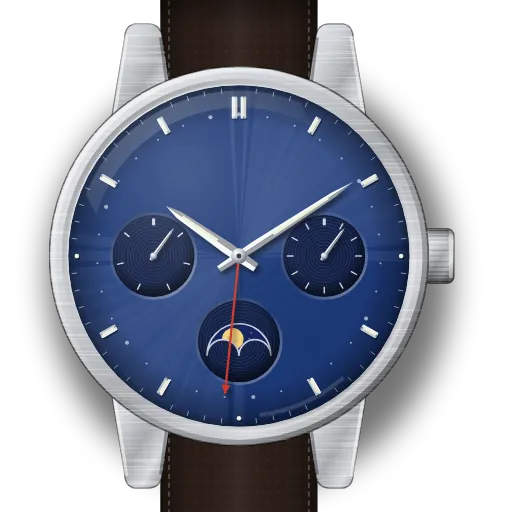
How to set up the Citizen Eco-Drive Calendrier Moonphase (calibre 8730)
Short answer: Citizen's order is day, moon, month and date, then time. Crown to position 2 for the day. Position 1 turned right for the moon, and turned left for the date, with the recessed month button at 2 o'clock. Then position 2 again for the time.
Citizen Eco-Drive Calendrier Moonphase at a glance
| Reference | BU0050-02L (44 mm, 10 bar) |
|---|---|
| Calibre | 8730, Eco-Drive solar |
| Crown | 0 = normal, 1 = date and moon, 2 = time and day |
| Moon reading | Indicator fully hidden = new moon (day 0). Straight up = full moon (about day 15). |
| Month | Recessed button at 2 o'clock. Press it with a pointed tip, one month per press. |
| Avoid | Setting the date between 9 pm and midnight on the dial. Setting the month when the date hand shows 31st to 2nd. |
| Energy | Full charge runs about 6 months. Seconds hand jumping every 2 seconds = low charge. |
What do you need to set on the Citizen Eco-Drive Calendrier Moonphase?
Set up moon phase on the Citizen Eco-Drive Calendrier Moonphase
- 1
Crown to position 1
One click out.
- 2
Turn right to tonight's moon
Hidden = new moon (day 0). Straight up = full (≈ day 15).
- 3
Push the crown in
Back to 0.
Set up the date on the Citizen Eco-Drive Calendrier Moonphase
- 1
Crown to position 1
One click out. Check the clock first: avoid 9 pm to midnight.
⚠️ Avoid 21:00–00:00 on the dial. Citizen warns the date may then fail to advance at midnight. - 2
Today is the 3rd–30th? Turn left
Turning the crown left moves the date hand forward. Stop on today. Then press the recessed month button at 2 o'clock (use a pointed tip) until the month is right.
On the 31st: set the 30th first, set the month, then turn on to 31. On the 1st or 2nd: set the 30th, set the previous month, then turn on. The month catches up when the date passes the 31st. - 3
Push the crown in
Back to 0. After a 30-day month or February, the date shows 31 and needs one turn to the 1st.
Set the day of the week on the Citizen Eco-Drive Calendrier Moonphase
- 1
Crown to position 2
Pull fully out.
- 2
Turn right
The day changes as the hour hand passes 12. Two turns of the hour hand = one day.
Set the time on the Citizen Eco-Drive Calendrier Moonphase
- 1
Crown to position 2 at 12 seconds
Pull out when the seconds hand reaches 12. It stops there.
- 2
Go 4–5 minutes past, then back
Turn right past the time, then left to back the hands onto it. Watch AM/PM: the date changes at midnight.
- 3
Push in on the signal
Back to 0.
What owners run into
- The 31st and the 1st or 2nd need a detour. The date mechanism and the month are linked, so set the 30th first (and on the 1st or 2nd, the previous month), then turn on.
- The date hand runs a 31-day cycle. After a 30-day month or February it shows 31 and needs one turn to the 1st.
- The day of the week can take until about 5 am to finish changing. That is normal.
- Ticking every 2 seconds isn't a fault. The cell is low, so leave it in daylight.
How the Citizen Eco-Drive Calendrier Moonphase differs from similar watches
A full calendar with month, day, date and moon, all set with one crown and one button. Most moon phase watches here (e.g. Longines L899, Tissot quartz) have no month or weekday to set.
Quick answers
Why won't my Citizen Calendrier set the 31st?
The manual's workaround: set the 30th, set the month, then turn the crown left to the 31st.
How do I set the moon phase on the Citizen 8730?
Crown to position 1 and turn right. Hidden indicator = new moon, straight up = full moon.
How long does the Citizen 8730 run in the dark?
About 6 months from a full charge.